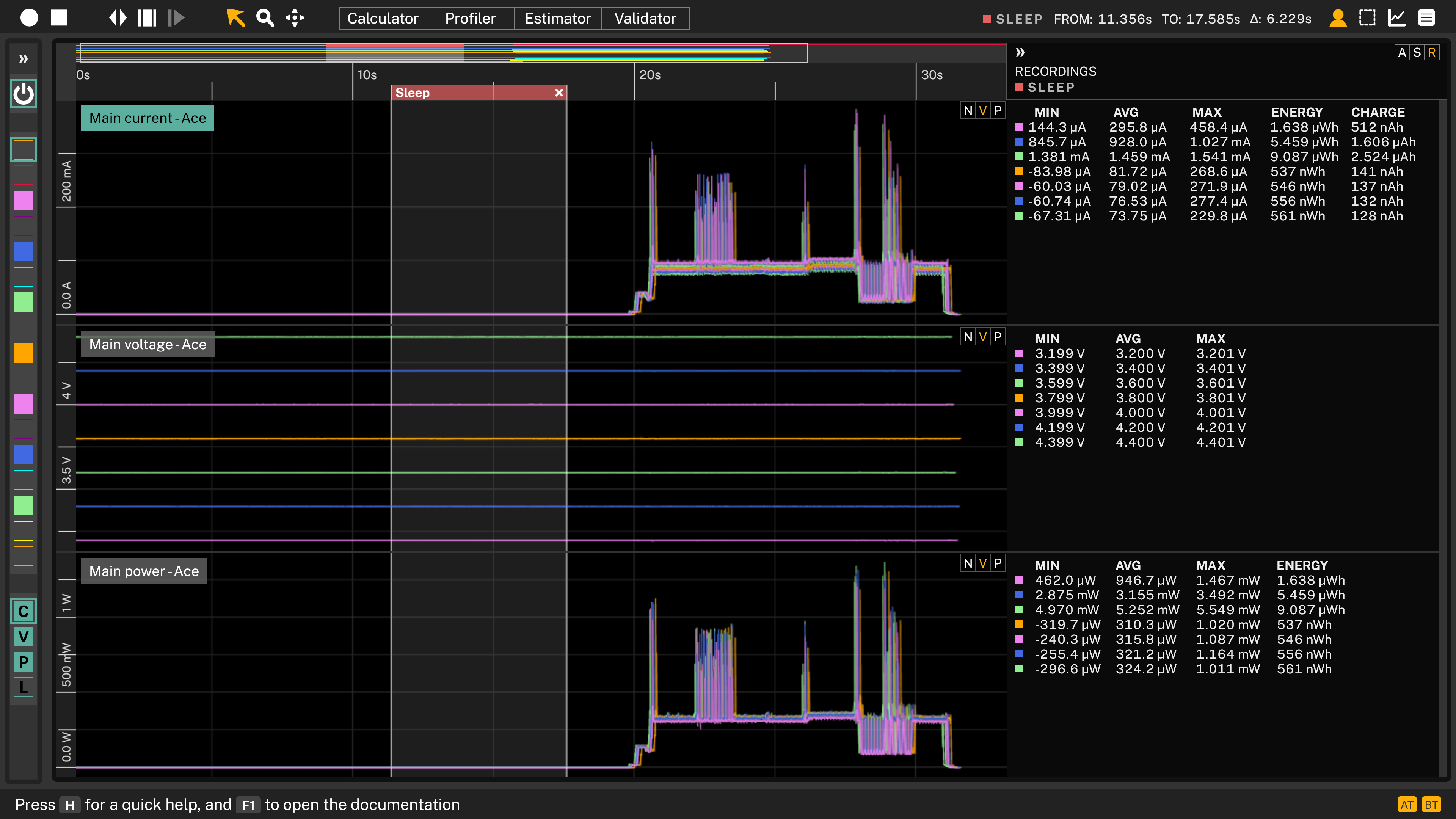
Automated voltage sweep of a Device Under Test (DUT)
Voltage sweep
When a device is powered by a battery, it will experience a wide range of supply voltages throughout its lifetime. Sweeping the input voltage across this range allows you to observe how the device behaves at each operating point. This makes it easy to identify the cut-off voltage at which the device stops functioning and to detect inefficiencies in the DC-DC converter as the input voltage changes. The result is a complete picture of the device's behaviour across its full operating voltage range. This application note shows how to perform the voltage sweep automatically using Arc or Ace instrumentation and the Otii Automation Toolbox.
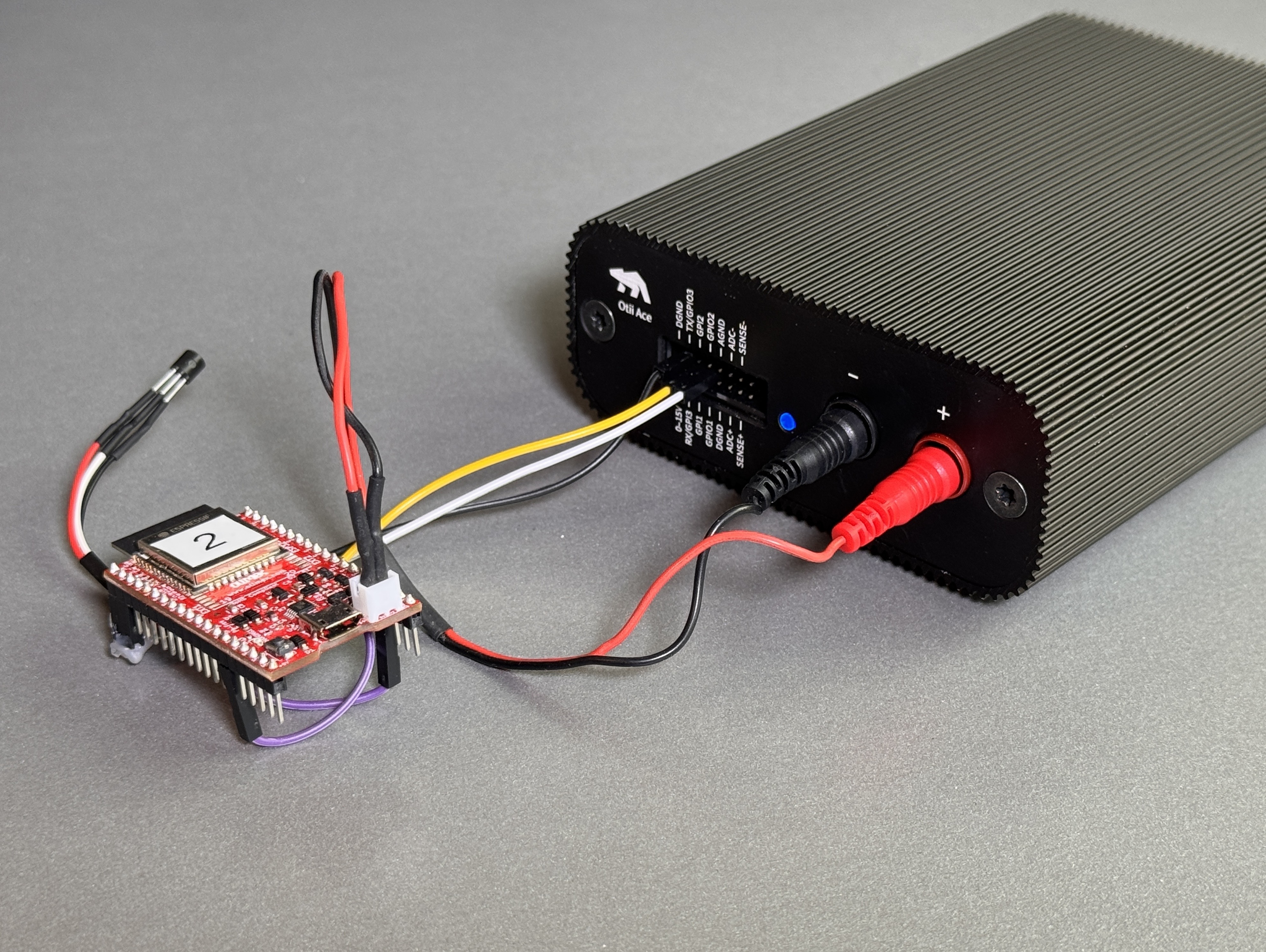
Products needed
How to connect
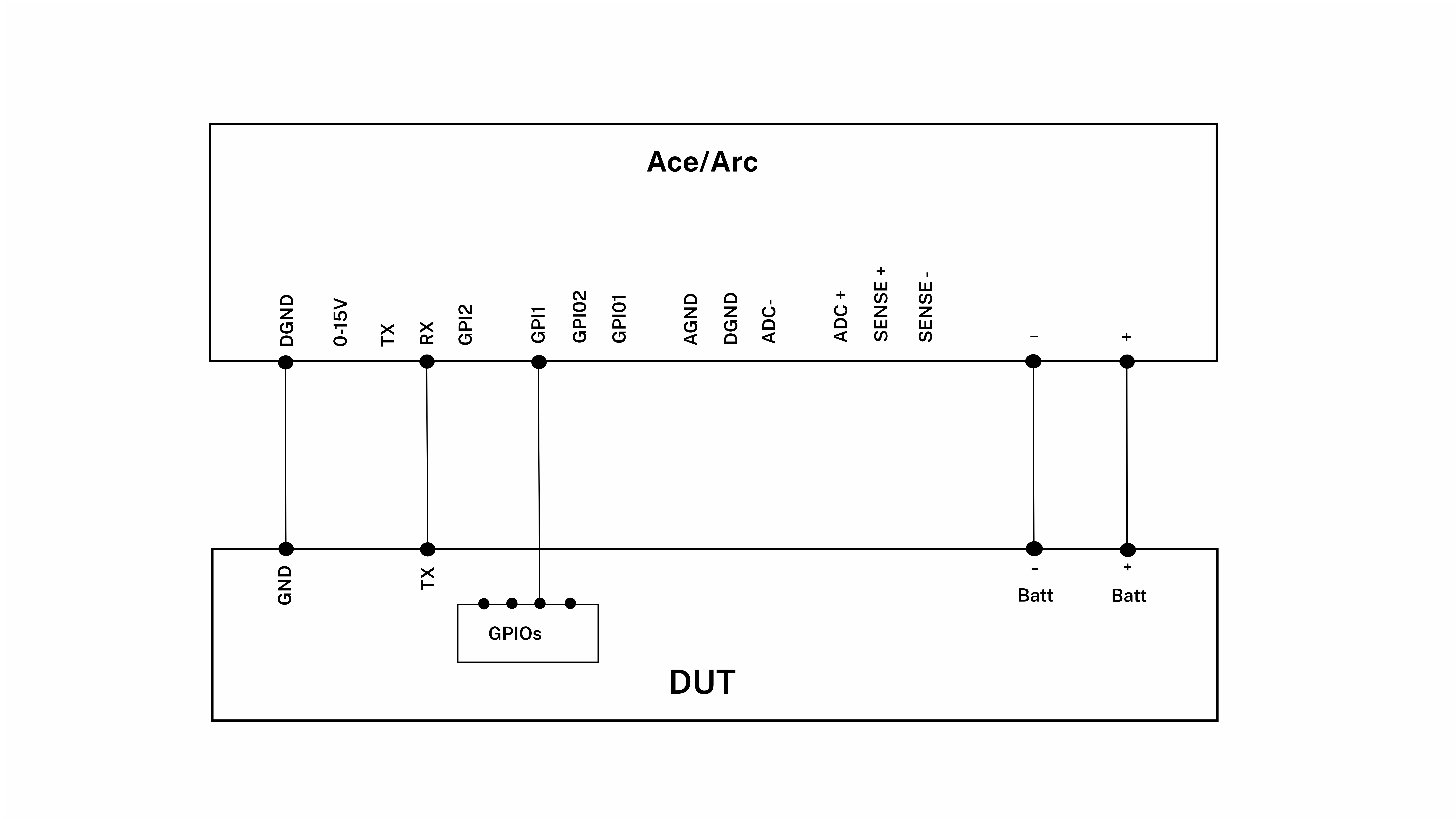
- Connect Arc/Ace to your computer by USB. If needed add a power supply.
- Connect Arc/Ace’s banana connector + to DUT positive battery connector/power connector.
- Connect Arc/Ace’s banana connector – to DUT negative battery connector/power connector GND.
- For Ace, connect Ground GND from your DUT to Ace’s DGND. This is only necessary for Otii Ace since expansion port and banana connector are isolated.
- Optional, connect UART TX from your DUT to RX on Arc/Ace.
- Optional, connect GPI1 to digital outputs on the DUT.
Get started in the Otii application
- You must have the Otii TCP server running to be able to automate the measurement, this can be done either by having the Otii desktop app up and running or by starting otii_server.
- You must have an Otii Automation Toolbox license reserved, either do this via Otii desktop app, User Management (Ctrl-U/⌘-U) or alternatively, you can also do this automatically in the script.
- Follow the instructions regarding how to install the python client in the documentation.
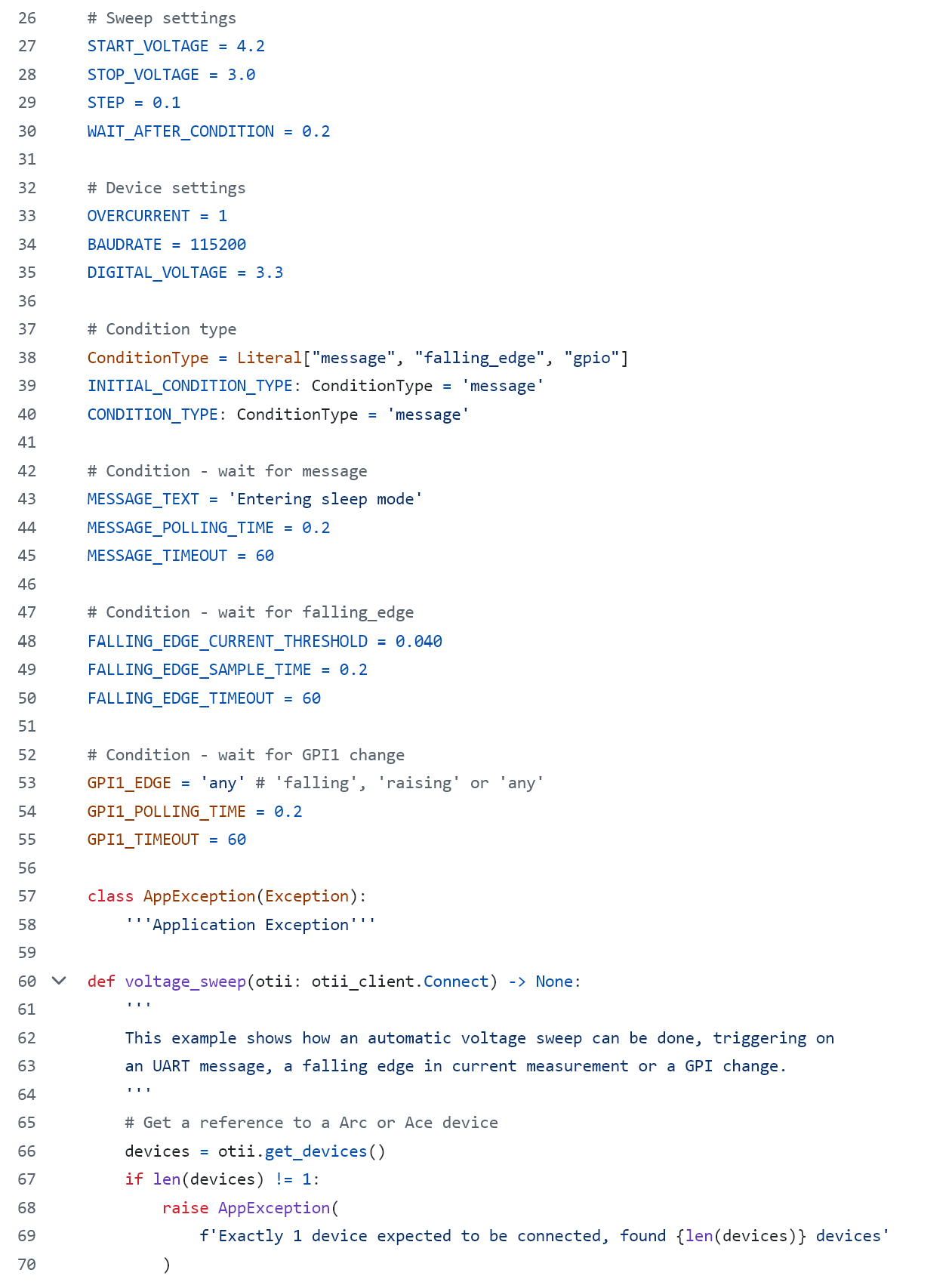
- Edit the example script voltage_sweep.py that can be found at Qoitech Github.
a. Edit the Arc/Ace settings
b. Select if you want to detect the DUT going to sleep via UART messages, GPIO activity or a current threshold
- Open a terminal window and run the script.