
Battery validator
 This feature requires a Battery Toolbox License.Battery Validation requires an Otii Ace Pro.
Battery Validation provides a comprehensive view of your battery by monitoring its performance in various scenarios. You can charge and discharge the battery in one or multiple steps, repeat discharge cycles, and create custom scenarios.
To start using Battery Validation, select Battery Validation in the toolbar
or press Ctrl-T / Cmd-T combination. A panel will then appear where you can view
and modify the validation configuration.
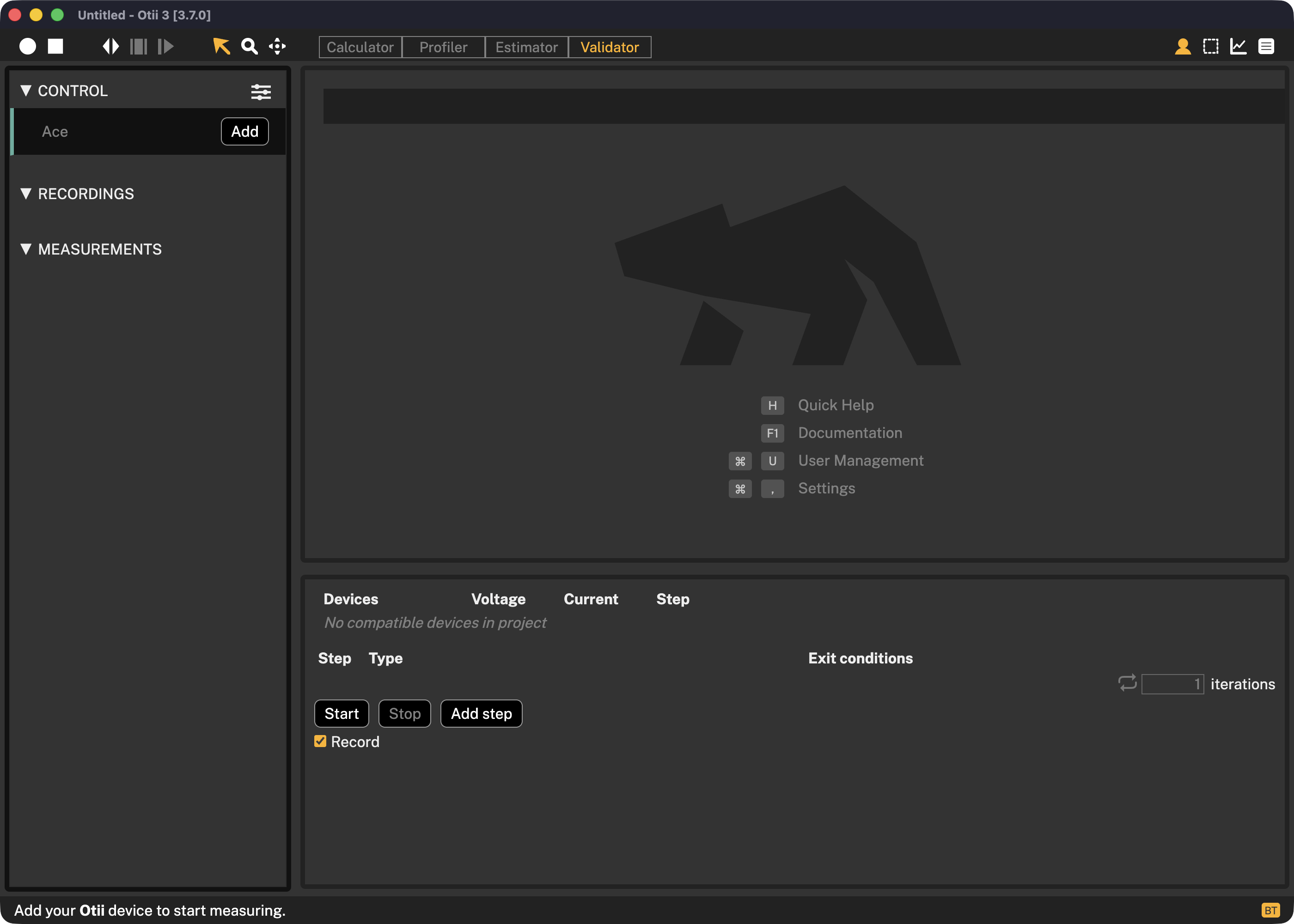
Configuration
Devices
Here you will see a list of connected devices where you can pick which of them you want to use for battery validation.
Start
To start battery validation, press Start.
Stop
To stop battery validation, press Stop.
Record
You can optionally record the ongoing battery validation session by selecting Record.
Add step
Press Add step to open the battery validation dialog.
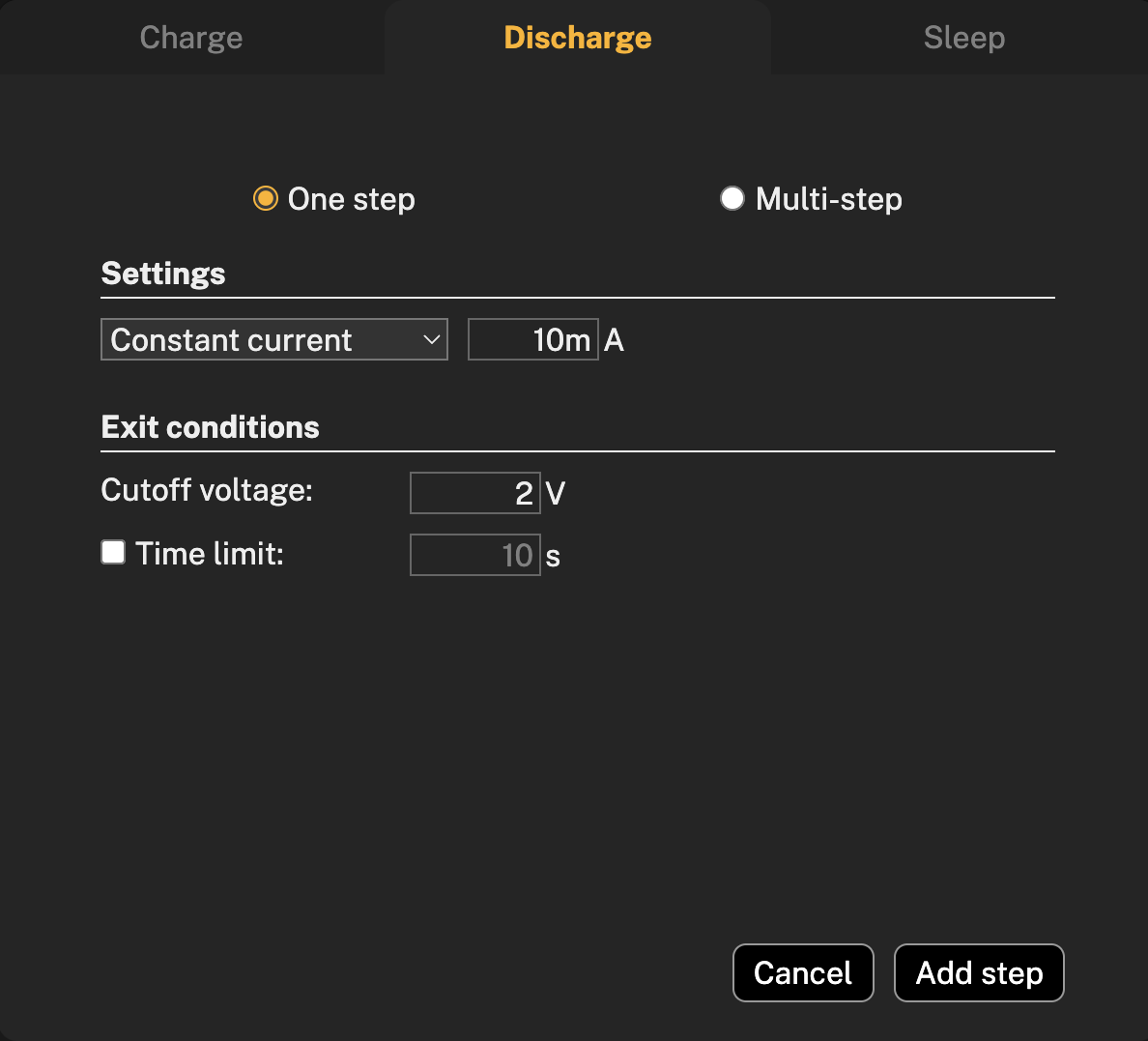
Discharge step
The discharge step function is splitted by One step and Multi-step.
One step
One step allows you to have a discharge step without specifying max time.
Settings
In the settings you can pick between Constant current, Constant power or Constant resistance and insert your value, according to the battery under the test.
Exit conditions
The exit conditions for discharging a battery are the conditions under which the battery should be stopped from discharging to prevent damage to the battery. Cutoff voltage means setting a minimum voltage below which the batterry is not allowed to discharge. Check battery datasheet for this information. Time limit is optional in case of One step discharge, but recommends to prevent overdischarging or other unexpected behaviours.
To add step, press Add step button and the configured step will appear in the dialog.
Multi-step
A multi-step battery discharge involves discharging the battery in several steps, each with a different constant current, power, or resistance profile, depending on the desired outcome and battery type.
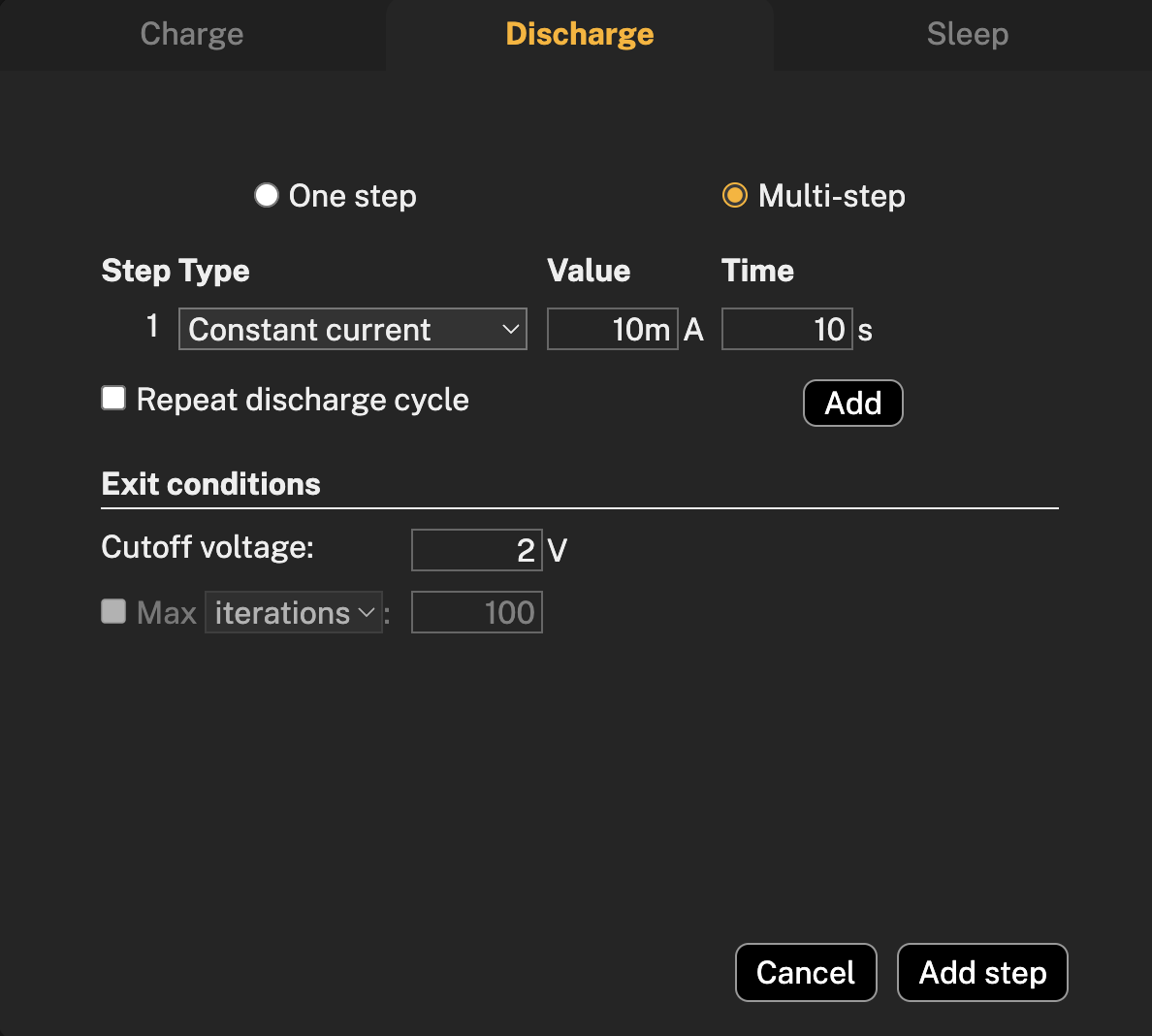
Step type
To create a profile with several step types for battery discharge, select the desired step types and configure the parameters for each step, including time, and press Add to add more steps. It is also possible to repeat discharge cycle by selecting Repeat discharge cycle.
The exit conditions in the multi-step discharge, besides cutoff voltage that works same principle as in one step discharge, contains a checkbox where in case if you decide to have repeated discharge cycle, you can choose between Max iterations or Max time.
To add multi-steps, press on Add step button and configured multi-steps will appear in the dialog.
Charge
A battery charging test is often used to evaluate a battery design to see if it meets its performance and safety specifications. Charging is Constant Current / Constant Voltage, this means that the battery is first charged with Constant Current according to the Charge current setting. When the voltage meets the Charge voltage setting, it changes to Constant Voltage, lowering the current until the current drops below the Cutoff current. Then the charging stops.
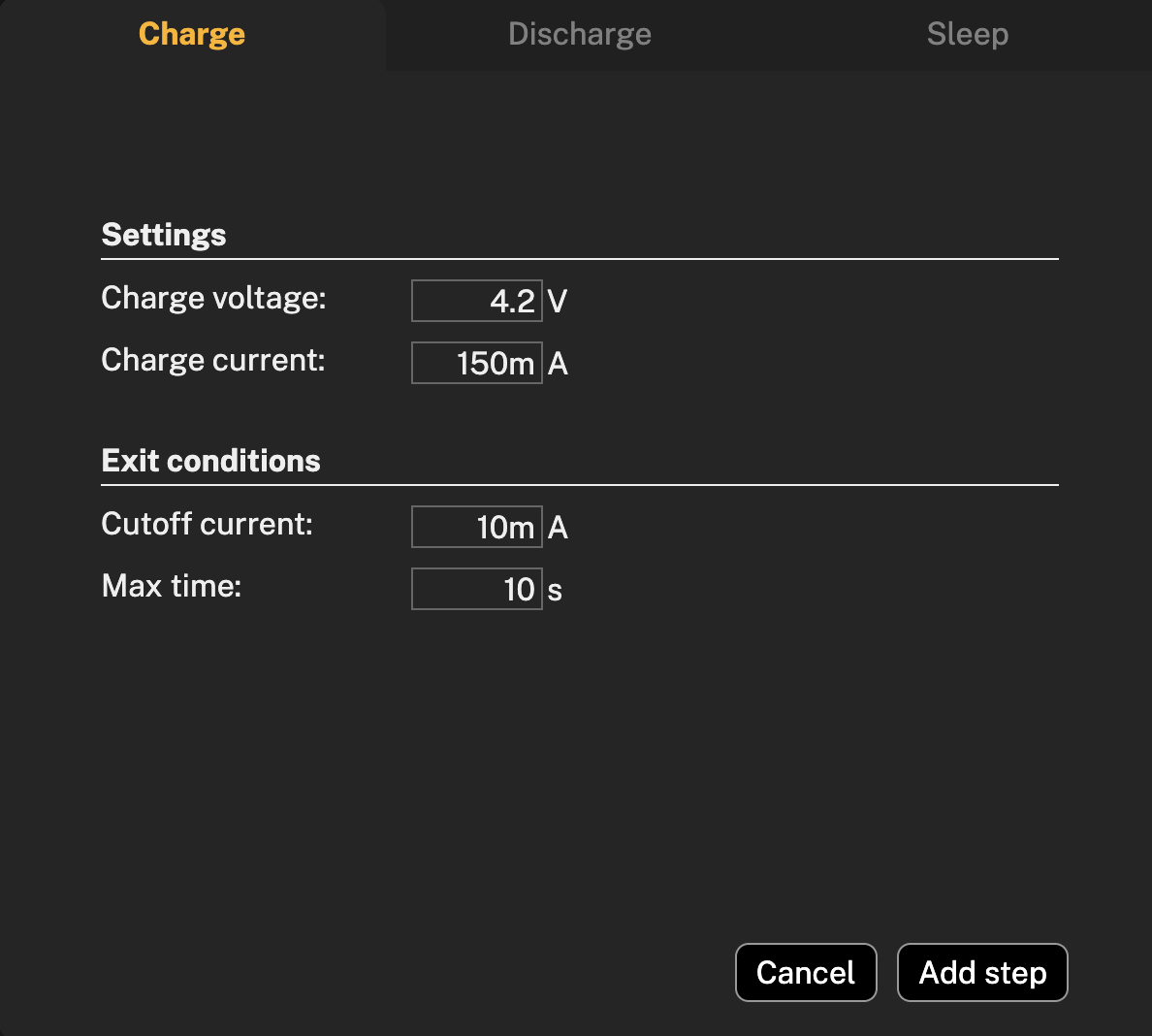
Settings
Before charging the battery, make sure to set up the settings according to the documentation of the tested battery.
Charge voltage is the voltage applied to the battery in the Constant Voltage phase. This must never be above the maximum voltage for the battery, make sure that you read the datasheet for the battery before setting this value.
Charge current is the maximum current that flows into the battery while its being charged in the Constant Current phase, make sure that you read the datasheet for the battery before setting this value.
The exit conditions of battery charging are the Cutoff current and Max time of charging the battery.
Cutoff current is the current at which a battery will stop charging; this prevents battery's overcharging.
Max time is the longest amount of time that a battery will be charging. This ensures that the battery is not being overcharged.
Battery types will have a different cutoff current and maximum charging time, so make sure to read the documentation first.
Sleep
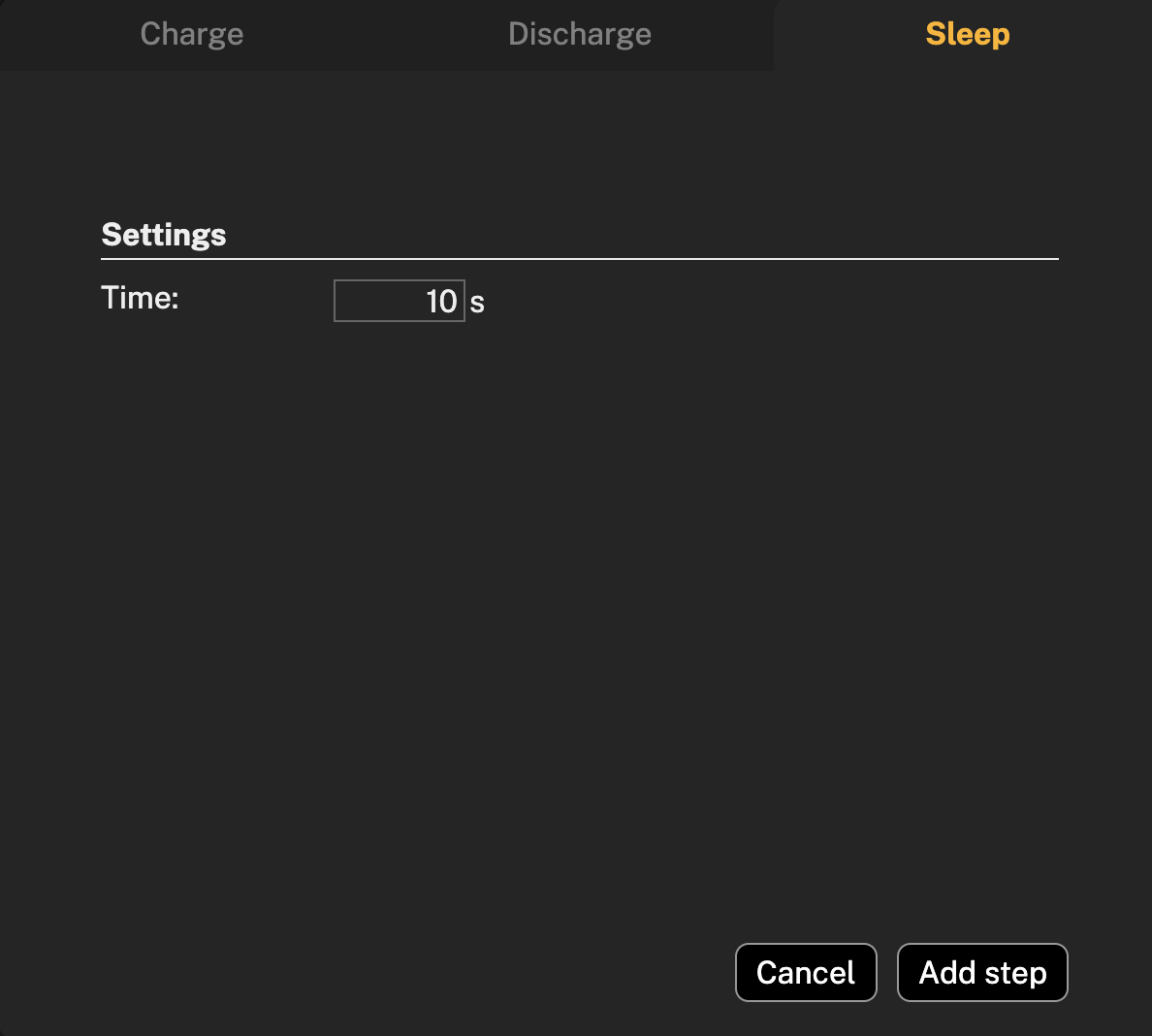
Due to different battery types and their chemistry, battery temperature and protection security it is important to have a time sleep between charging/discharging steps. To set up sleep time between selected steps, swich to the Sleep tab and set up desired sleep time. Press Add step. During sleep period, the battery is neither charged nor discharged but the voltage is measured. This mode can also be used to measure the voltage of a battery, before charging or discharging it.
Battery validation in numbers
| Technical specification | Otii Ace Pro |
|---|---|
| Current max | 5A |
| Voltage max | 25V |
| Power max. | Source: 50 W peak, 30 W continuous, Sink: 125 W peak, 15 W continuous |
| Accuracy | Readback accuracy according to the datasheet: Current: ±(0.05 % + 25 nA) Voltage: ±(0.01 % + 1 mV) |
| Number of cycles | unlimited |
| Number of batteries per project | unlimited |